Timediary2.03
Publisher Description
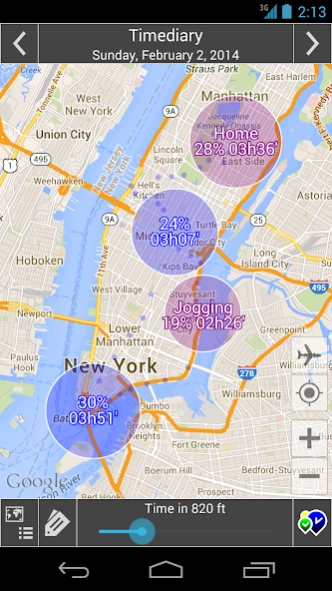
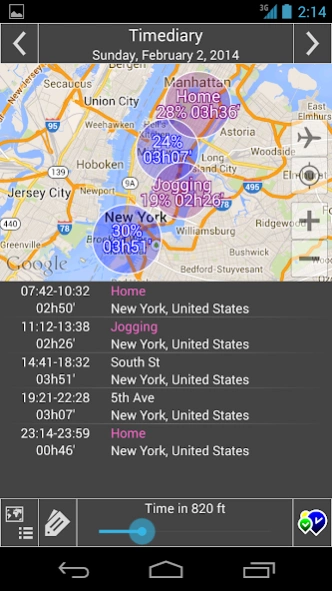
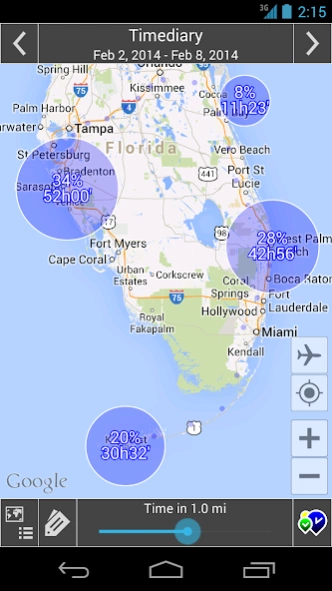

Best Time Tracker App
Have you ever wondered where you spend
your time
?
There are innumerable apps that suggest your actual position but only a few indicate
where
you have been and
how much
time you spent in each place:
Timediary is the best app in this class
.
• Timediary runs
automatically
in the background and records the time you spend in each place.
• You can display your time on the map by
day, week, month and from-to
.
• It's possible to insert
labels
for your places.
• Timediary creates automatically
time sheets
of your days.
•
Privacy
: Timediary saves your position only in your phone and a security code can be set to start the app.
• Your position is determined by Wi-Fi and/or mobile networks and/or GPS, with
low impact on battery
.
• Requirements: Wireless localization, packet data, Wi-Fi.
Please Note:
• The localization highly depends from the place where you are and the provider / device you have. • Activate 3/4G data communication and Wi-Fi. • If you do not get any localization turn off and on the device. • Only if you want higher localization accuracy outside the buildings choose GPS in settings. •
About Timediary
The company that develops Timediary is Wheresmytime. The latest version released by its developer is 2.03.
To install Timediary on your Android device, just click the green Continue To App button above to start the installation process. The app is listed on our website since 2014-04-01 and was downloaded 7 times. We have already checked if the download link is safe, however for your own protection we recommend that you scan the downloaded app with your antivirus. Your antivirus may detect the Timediary as malware as malware if the download link to com.wheresmytime.wmt is broken.
How to install Timediary on your Android device:
- Click on the Continue To App button on our website. This will redirect you to Google Play.
- Once the Timediary is shown in the Google Play listing of your Android device, you can start its download and installation. Tap on the Install button located below the search bar and to the right of the app icon.
- A pop-up window with the permissions required by Timediary will be shown. Click on Accept to continue the process.
- Timediary will be downloaded onto your device, displaying a progress. Once the download completes, the installation will start and you'll get a notification after the installation is finished.
Program Details
System requirements
Download information
Pricing
Version History
version 2.03
posted on 2014-04-01
version 1.11_jareth_atds_h_irtiy_cb
posted on 2013-06-28
Several fixes and updates
